The Problem With Guessing What to Create
Most knowledge creators build services based on intuition—a course topic that sounds interesting, a webinar idea from a competitor's page, a community theme that feels relevant. The result? Services that take weeks to build but attract nobody.
Qynko Studio solves this with the AI Market Insights module: a data-dense dashboard that surfaces real demand signals from your niche, so you build what the market is already looking for.
Instead of launching and hoping, you launch with evidence.
Why do most knowledge creators end up building services that nobody buys?
Most creators build based on intuition — a course topic that sounds interesting, a webinar idea spotted on a competitor's page, a community theme that feels relevant. The result is services that take weeks to build but attract no audience. Qynko Studio's AI Market Insights module solves this by surfacing real demand signals from your niche before you build anything, so you launch with evidence instead of hope.
How does Qynko Studio's AI Market Insights module help creators avoid building the wrong services?
AI Market Insights analyzes your professional domain and returns a curated list of service recommendations backed by trend data. Instead of guessing what your audience wants, you see exactly which service concepts — courses, sessions, webinars, or communities — are generating measurable demand right now. You build what the market is already looking for, not what you think it might want.
How Market Insights Works
The Market Insights page analyzes your professional domain and returns a curated list of service recommendations grouped by subcategory. Each recommendation is backed by trend data over a configurable time window—7 days, 30 days, 90 days, or 180 days.
- Date Range Filter — Choose how far back the AI looks. Shorter windows catch emerging trends; longer windows reveal sustained demand.
- Subcategory Chips — Filter recommendations by the specific sub-topics within your domain. Deselect noisy subcategories to focus on your sweet spot.
- Service Format Tags — Each recommendation is tagged as a 1:1 Session, Course, Webinar, or Community—so you know what format fits the demand pattern.
- Quick Create — Found an opportunity? Hit Quick Create to instantly scaffold the right service type without leaving the Insights page.
What does the Date Range filter in Qynko AI Market Insights actually control?
The Date Range filter tells Qynko's AI how far back to look when analyzing demand signals. Choose 7 days to catch emerging trends that just appeared, 30 days for a stable monthly view, 90 days to identify sustained demand patterns, or 180 days for long-term confirmation. High-performing creators on Qynko typically open Insights every Monday morning set to the last 30 days as a weekly planning ritual.
How do Subcategory Chips on the AI Market Insights page work?
Subcategory Chips let you filter recommendations by specific sub-topics within your professional domain. If your niche is productivity coaching, subcategories might include tools, time management, and automation. Deselecting noisy subcategories focuses the recommendation list on the topics that match your specific expertise — so you are not overwhelmed by every trend in a broad domain.
Reading a Service Recommendation
Every recommendation card on the Insights page contains three things: the service concept, the subcategory it falls under, and the suggested format. A card might read: 'Notion for Freelancers' → Productivity → Course.
This tells you: there is measurable demand in the Productivity subcategory for a Notion-specific course. You're not being told to copy anyone—you're being told where attention is concentrated so you can position your own expertise.
Using the Detail Drawer
Click View Details on any recommendation card to open a full breakdown. The drawer shows you the reasoning behind the recommendation, example service angles, and the specific subcategory trend driving it.
Use this to validate whether the recommendation fits your expertise before committing to a build.
What do the three pieces of information on a Qynko AI Market Insights recommendation card mean?
Every recommendation card shows the service concept, the subcategory it falls under, and the suggested format — for example, 'Notion for Freelancers → Productivity → Course.' This means there is measurable demand in the Productivity subcategory for a Notion-specific course. You are not being told to copy anyone. You are being told where attention is concentrated so you can position your own expertise.
What does the View Details drawer in Qynko AI Market Insights show?
The View Details drawer shows the full reasoning behind the recommendation, suggested service angles, and the specific subcategory trend driving it. It is designed to help you validate whether a recommendation fits your expertise before committing to a build — so you make an informed decision rather than just reacting to a headline.
The Recommended Workflow
Use AI Market Insights as your weekly planning ritual, not a one-time check. Here's how high-performing creators on Qynko Studio use it:
- Monday morning: Open Insights set to last 30 days. Note which subcategories are consistently surfacing.
- Filter by format: If you prefer building courses, filter down to Course recommendations. Compare 2-3 subcategories.
- Pick the strongest signal: Build the service with the highest overlap between your expertise and the recommended subcategory.
- Use AI Service Builder: Jump directly to the AI Service Builder to generate a title, description, and curriculum outline for the chosen concept.
- Repeat monthly: Market signals shift. Running Insights regularly keeps your service catalog ahead of the curve.
What is the recommended weekly workflow for using AI Market Insights on Qynko Studio?
High-performing creators on Qynko use Market Insights every Monday morning as a planning ritual. Open Insights set to the last 30 days and note which subcategories are consistently surfacing. Filter by your preferred service format (courses, sessions, webinars). Pick the concept with the highest overlap between your expertise and the recommended subcategory. Then jump directly to the AI Service Builder to generate a title, description, and curriculum outline for the chosen concept.
What does the Quick Create button do on the Qynko AI Market Insights page?
Quick Create is a direct action button that scaffolds the matching service type for a recommendation without leaving the Insights screen. If an insight surfaces demand for a Course on a particular topic, clicking Quick Create opens the correct service creation flow pre-matched to that opportunity — so you move from data to draft in a single click without navigating away.
From Insight to Published Service
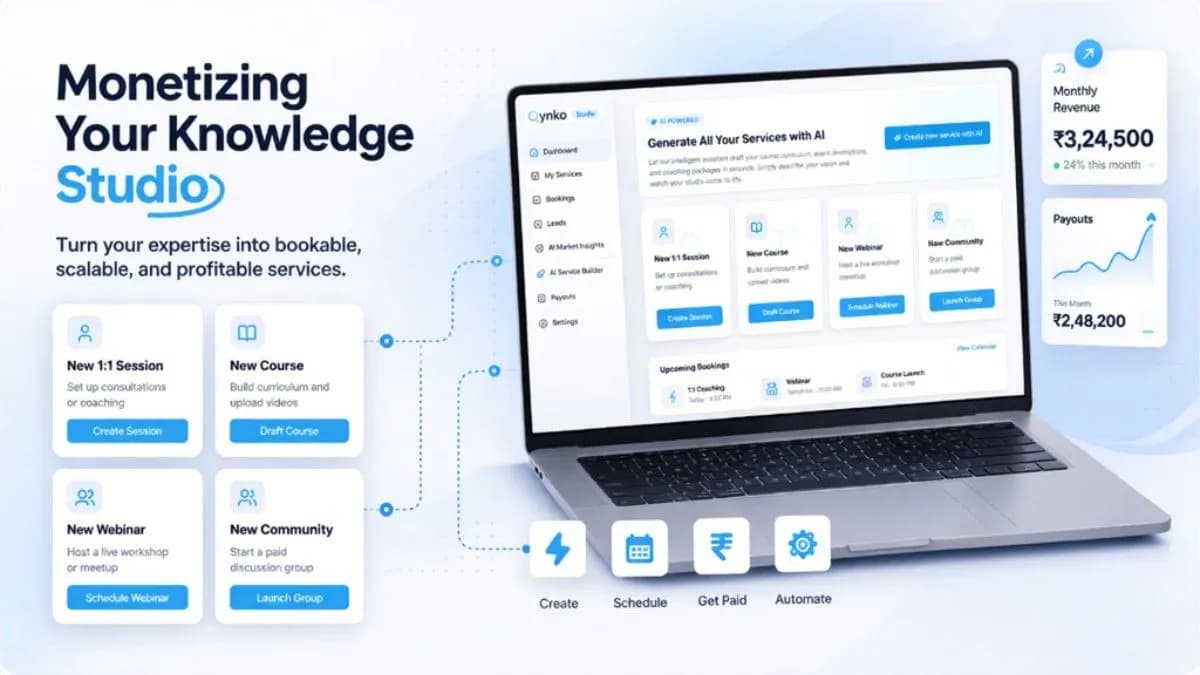
AI Market Insights is one half of the equation. Once you know what to build, the AI Service Builder helps you build it fast—generating service titles, descriptions, pricing suggestions, and course outlines from a single prompt.
Together, these two modules form Qynko Studio's creator co-pilot: you bring the expertise, the platform brings the intelligence. The result is a service catalog that's both authentically yours and strategically positioned.
Ready to see what your market is asking for? Log into Qynko Studio and open the AI Market Insights tab.
How do AI Market Insights and the AI Service Builder work together in Qynko Studio?
AI Market Insights identifies what to build; the AI Service Builder helps you build it fast. Once you spot a high-demand opportunity in Market Insights, you jump directly to the AI Service Builder, which generates a service title, description, pricing suggestion, and curriculum outline from a single prompt. Together they form Qynko Studio's creator co-pilot: you bring the expertise, the platform brings the intelligence.